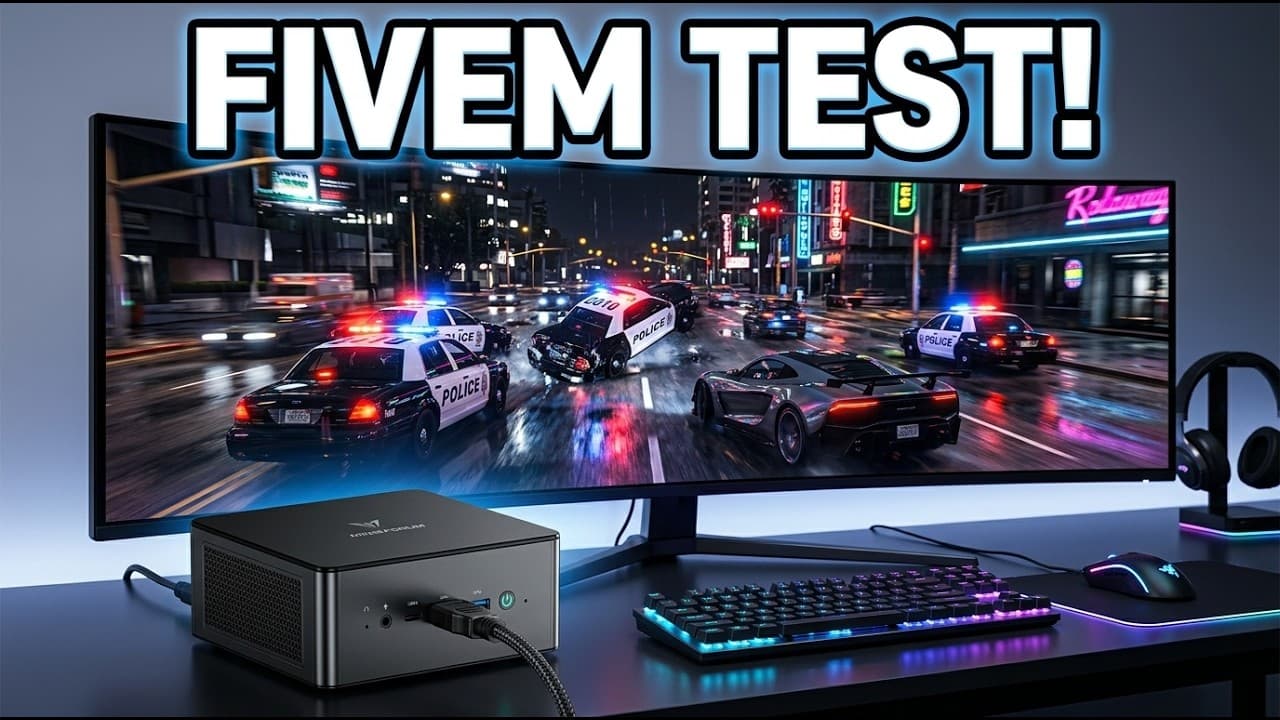
Minisforum UM890 Pro Review: Can It Run FiveM?
I tested the Minisforum UM890 Pro on a packed FiveM GTA RP server at 1440p to see real frame rates, fan noise, and memory limits under actual loads.
Bekijk de video op YouTubeThe Minisforum UM890 Pro runs FiveM on a packed 180-player roleplay server at an average of 37 to 45 FPS at 1440p, which is noticeably better than I expected from integrated Radeon 780M graphics. You do not get high-refresh competitive speeds, but it delivers an entirely playable GTA RP experience from a chassis that fits in one hand. Even better, it does that while staying remarkably quiet under a full 70-watt load.
Almost every tech channel benchmarks standard GTA 5 story mode on mini PCs. Standard GTA 5 is from 2013 and runs on practically anything at this point. As I said in the video, "Every reviewer on earth tests GTA 5. Almost nobody tests FiveM, and they are not the same game." FiveM servers pile on custom vehicle models, heavy framework scripts, and hundreds of real players. It eats memory and punishes integrated GPUs in ways standard benchmarks never show.
What the hardware gives you out of the box
Inside this little metal box is an AMD Ryzen 9 8945HS processor with 8 cores, 16 threads, and integrated AMD Radeon 780M graphics. It uses standard SODIMM slots, meaning you can configure or upgrade it with up to 96 GB of DDR5 5600 MHz memory. For storage, you get two full-size M.2 2280 PCIe 4.0 NVMe slots, which makes it easy to set up separate operating systems without splitting a single drive.
Here are the hardware specifications:
- Processor: AMD Ryzen 9 8945HS (8 cores, 16 threads)
- Graphics: AMD Radeon 780M integrated GPU
- Memory: Up to 96 GB DDR5 5600 MHz across 2 SODIMM slots
- Storage: 2x M.2 2280 PCIe 4.0 NVMe SSD slots
- Networking: Dual 2.5 Gbps Ethernet ports and Wi-Fi 6E
- Video out: HDMI 2.1, DisplayPort, and two USB4 Type-C ports
- Power limit: Configurable 54W Balance and 70W Performance modes via BIOS
The chassis also includes standard VESA mounting points. If you hate clutter on your desk, you can screw the bracket straight to the back of your monitor and hide the entire computer.
The port selection is where this box flexes
The front panel has a clear CMOS button, a 3.5mm combo audio jack, two USB-A 3.2 ports, and a full-bandwidth USB4 Type-C port. That gives you fast external storage access right on your desk without having to reach around the back.
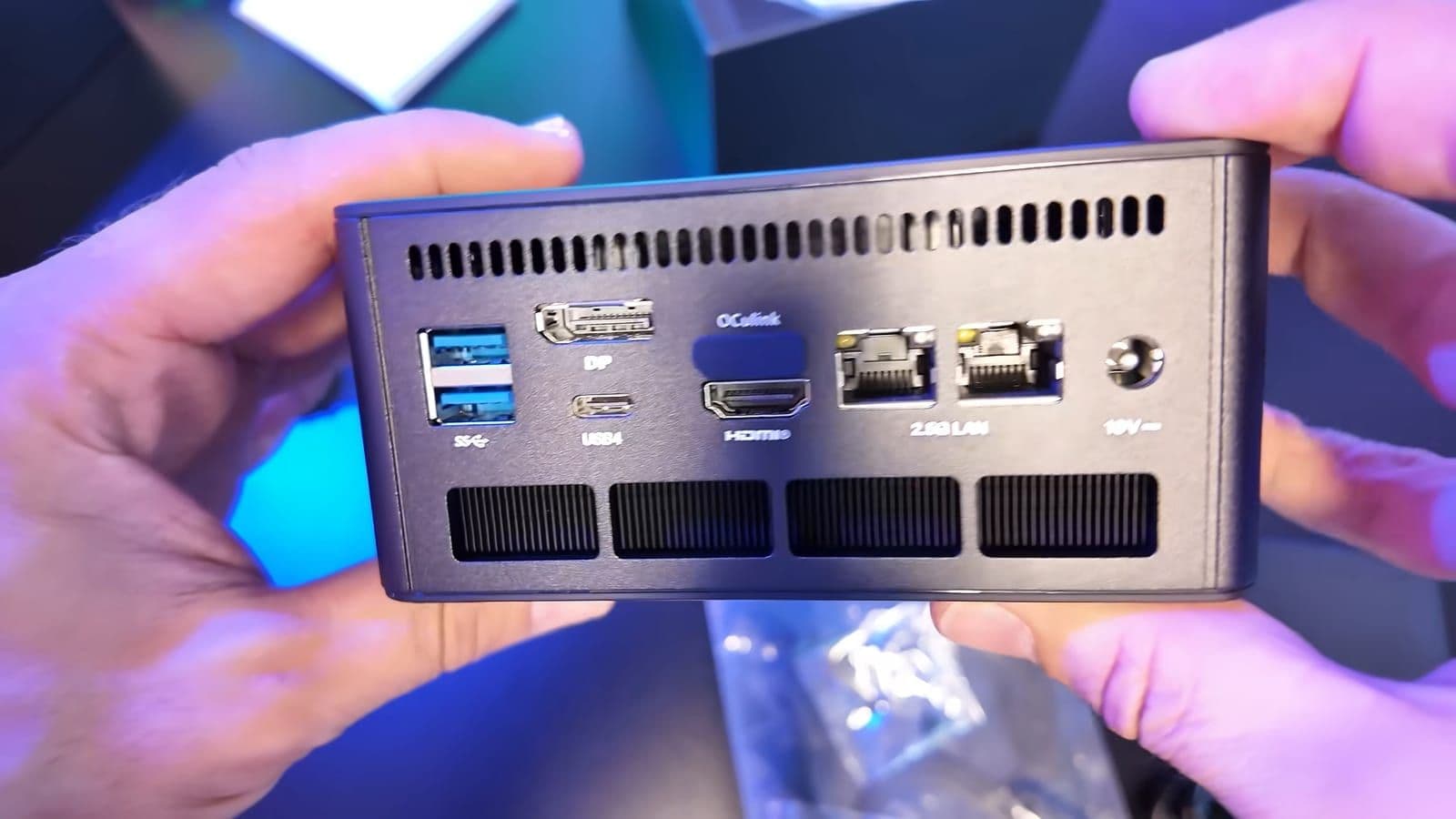
The back of the chassis is where things get genuinely interesting. You have two additional USB-A ports, a dedicated DisplayPort, HDMI 2.1, another USB4 Type-C port, and two 2.5 Gbps Ethernet jacks. Having two 2.5G network ports is unusual for a machine this size. I ran a quick throughput test on my local connection and hit over 2200 Mbps down without any driver hiccups. Because the two USB4 ports also support display pass-through, you can hook up to four displays at the same time.
Right between the video outputs sits an OCuLink port hidden under a rubber plug. OCuLink exposes four PCIe lanes directly from the system board. Unlike USB4 or Thunderbolt, which route through controller overhead and lose bandwidth, OCuLink connects directly to the system PCIe bus. It gives you a real external GPU connection if you want desktop-class graphics down the road. The compromise is that using OCuLink occupies one of the internal M.2 SSD lanes, so you drop down to a single internal drive while using it.
You have to enter the BIOS to unlock full power
Out of the box, the UM890 Pro runs in a conservative Balance power profile. To get the performance you paid for, you have to restart the machine and tap Delete or F2 to enter the BIOS.

Under the Advanced CPU configuration menu, you will find the Power Limit Setting. You can switch this from Balance Mode to Performance Mode, which raises the continuous package power limit to 70 watts. It is slightly irritating that Minisforum does not supply a lightweight Windows software toggle for this. Toggling BIOS settings is easy enough for enthusiasts, but casual users will likely leave it on default and lose frame rates without realizing it. Because thermal noise never turned into an issue during my testing, I left the unit permanently set to Performance Mode.
How it actually handles a crowded FiveM roleplay server
To see what the hardware can do, I booted into Windows 11, set my display output to 2560x1440 at 144Hz, and launched FiveM. I skipped empty test tracks entirely because "empty FiveM is basically just GTA 5, and that would be cheating."
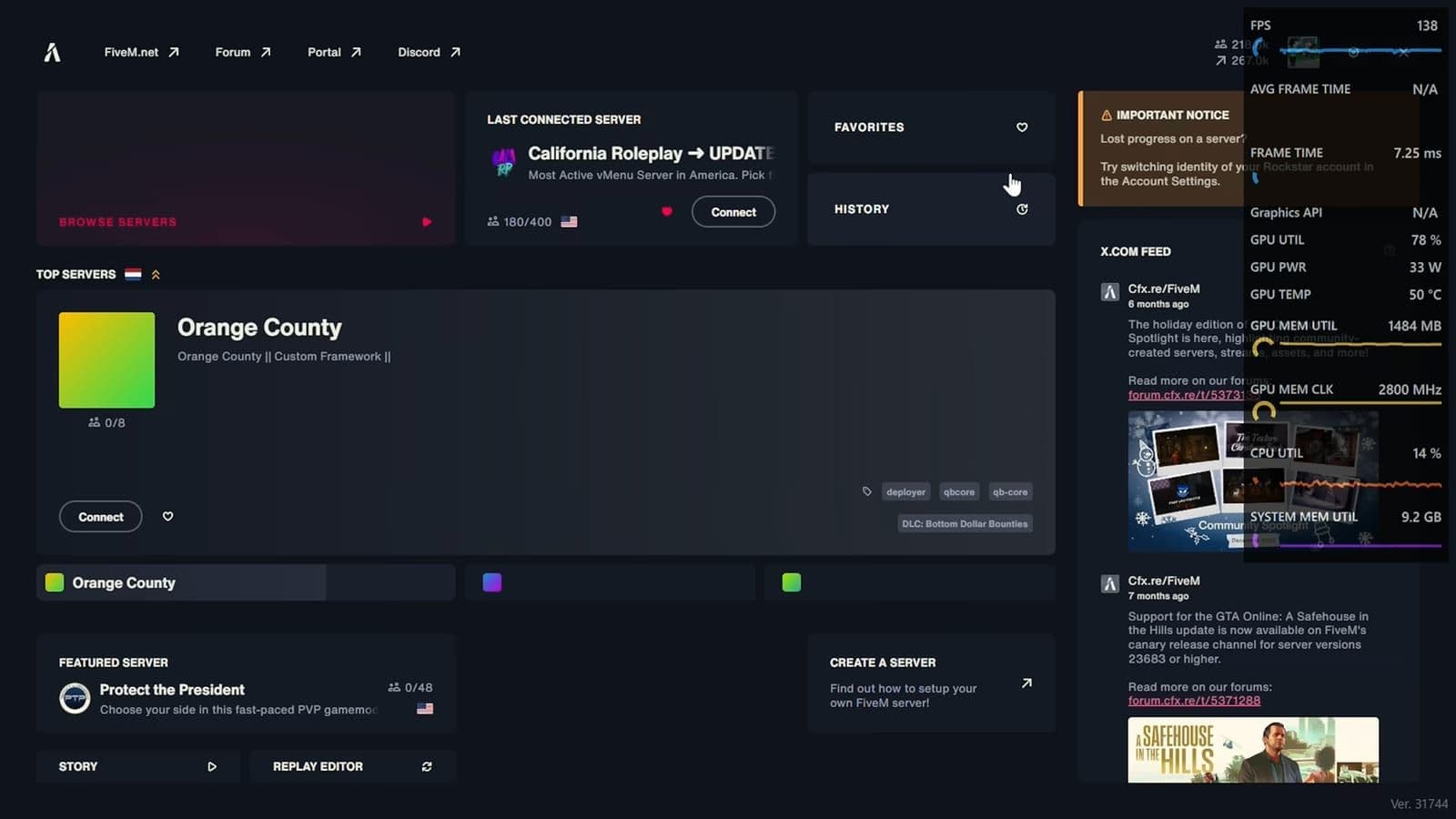
I joined California Roleplay, which had 180 out of 400 slots filled. It runs heavy client scripts, custom police cruisers, custom sound packages, and modified map areas. Those are the exact conditions where budget gaming PCs start dropping frames.

Driving through downtown Los Santos and past clusters of custom cars, the UM890 Pro held between 37 and 45 FPS at 1440p. Frame times stayed consistent without the massive micro-stutters that typically ruin driving in roleplay servers. You will not hit 60 FPS at native 1440p on an integrated chip, but it remained completely playable.
The telemetry told an important story about memory. During an active session, FiveM pushed system memory utilization past 13 GB and eventually topped 14 GB. The Radeon 780M shares system RAM with your operating system. If you buy a cheap 16 GB configuration, you are going to run out of memory instantly, and FiveM turns into a stutterfest no matter how fast your CPU is. If you plan to play roleplay servers, you need at least 32 GB of DDR5 in this machine.
Fan noise and cooling under sustained load
Mini PCs usually have one major flaw when you push them to 70 watts: they sound like hair dryers. To get a clear comparison, I checked my main desktop first. My primary rig runs an RTX 5090 with nine case fans, and sitting under my desk it generates between 59 and 60 dB.
I held my Apple Watch decibel meter directly beside the UM890 Pro while FiveM was running at full tilt in 70W Performance Mode. It registered right around 49 to 50 dB. The fan profile is smooth and low-pitched rather than high and whiny. Unless you lean in and put your ear right next to the exhaust fins, you barely notice it. It is dramatically quieter than a traditional gaming desktop sitting on your floor.
Using it beyond roleplay servers
Even if you stop playing GTA RP, the hardware here does not become obsolete. The 8-core Ryzen processor combined with dual 2.5G network ports makes the machine a capable little home server. You can run Proxmox, host Docker containers, manage home automation, or set up a small NAS.
Because there are two physical M.2 NVMe drives inside, you can install Windows 11 on the primary drive and a Linux distribution on the secondary drive. You do not need to risk bootloader corruption from partitioning a single SSD. It also works well as an ultra-compact office workstation driving three or four monitors for day-to-day productivity.
Pricing and configuration traps
On 10 July 2026, the official Minisforum store had barebones models starting at $463 in the US and €489 in Europe. Fully configured models with high memory and fast SSDs climbed all the way to $1,287 or €1,389.
Memory and storage prices have climbed considerably due to massive hardware demand from AI data centers. If you buy a pre-built unit with 64 GB of RAM and 1 TB of storage, you pay a heavy premium. The smart move is to grab the barebone chassis directly from the official Minisforum store or check listings on Amazon US and Amazon EU, then buy your own DDR5 SODIMM kit and M.2 SSD separately on sale.
Who should buy this and who should skip it
You should buy the Minisforum UM890 Pro if you want a tiny, silent machine for GTA roleplay, homelab tasks, or multi-monitor work, and you do not want a bulky tower under your desk. The performance holds up on crowded servers, the thermals are quiet, and the OCuLink port gives you a real external GPU path if you want to connect a desktop graphics card later.
You should skip it if you expect 60 to 120 FPS at 1440p in modern games without buying extra external GPU hardware. It is still an integrated Radeon 780M graphics chip. If you have strict competitive gaming expectations or a fixed budget that cannot absorb the high cost of DDR5 memory, build a budget desktop tower instead.
Frequently asked questions
Can the Minisforum UM890 Pro run FiveM servers at 60 FPS?
Not at 1440p resolution on populated roleplay servers. At 1440p, expect between 37 and 45 FPS in crowded areas, which is very playable for roleplay. To get closer to 60 FPS, you will need to lower your resolution to 1080p or drop your visual settings.
How much RAM do you need for FiveM on the UM890 Pro?
You should get at least 32 GB of DDR5 RAM. FiveM regularly uses more than 13 GB of system memory on customized servers, and the integrated Radeon 780M shares system memory for its video buffer. Running 16 GB will cause heavy stuttering.
How loud does the UM890 Pro get while gaming?
Under sustained gaming in 70W Performance Mode, the fan sits around 50 dB when measured directly next to the case. It produces a quiet, low hum that is easy to ignore and is much quieter than a conventional gaming desktop.
What does the OCuLink port do on this mini PC?
The OCuLink port provides a direct four-lane PCIe connection to the motherboard for connecting an external desktop graphics card dock. It has much lower latency and higher bandwidth than USB4, though using it takes up one of the internal M.2 SSD slots.