RUIPRO Detachable Fiber Optic DisplayPort Review
I tested the RUIPRO Detachable Fiber Optic DisplayPort cable at 4K 144Hz. Here is why swappable heads fix long-distance PC gaming and wall routing.
Bekijk de video op YouTubeCopper DisplayPort cables fall apart fast when you stretch them past two meters. You get black screens, random flickering, and handshake drops when pushing 4K at 144Hz. The RUIPRO Detachable Fiber Optic DisplayPort Cable replaces copper with glass fiber and adds swappable modular ends, so you can route the line through a wall once and keep using it when standards update.
I have spent months dealing with finicky video connections in both my studio and home theater. When you need high bandwidth over a long distance, standard cables let you down. As I said in the video, "good luck with a regular copper cable."
The two big problems with standard display cables
Traditional copper display cables face two harsh physical realities: signal attenuation over distance and rapid obsolescence. If you run a high-refresh monitor, you already know that copper works fine at one or two meters. The moment you push past that distance with a high-bandwidth load like 4K at 144Hz or 8K at 60Hz, signal integrity collapses. Handshake failures become routine, and screens randomly drop to black.
Fiber optic cables bypass electrical resistance entirely by sending light pulses down a glass strand. Light travels through optical glass without losing signal strength over substantial runs, and it completely ignores electromagnetic interference from nearby power lines. In my own testing, "fiber doesn't even notice, because it's transmitting light, not electric signals."
The second headache is how often display standards change. If you route a heavy copper cable behind drywall, through baseboards, or inside tight conduits, upgrading your hardware down the line means pulling the whole line out. Detachable heads isolate the physical interface from the permanent fiber line inside the wall.
Why I trusted RUIPRO in my home theater setup
I did not pick up this DisplayPort cable on a blind whim. I already spent six months relying on a RUIPRO detachable fiber optic HDMI cable in my main media room. In that room, I run a 10 to 15 meter line from an R-volution PlayerPro 8K media player and a PlayStation 5 straight to an XGIMI Horizon 20 Max projector.
Before installing fiber, I tried multiple thick copper HDMI lines from reputable brands across that exact run. "None of them worked. At that distance with that bandwidth, copper just couldn't handle it." The copper connections dropped signal constantly during HDR playback.
The RUIPRO optical HDMI line solved that setup immediately and has not flickered once. That reliability is why I wanted to put their DisplayPort counterpart through its paces on my primary PC workstation.
Unboxing and the delicate nature of fiber
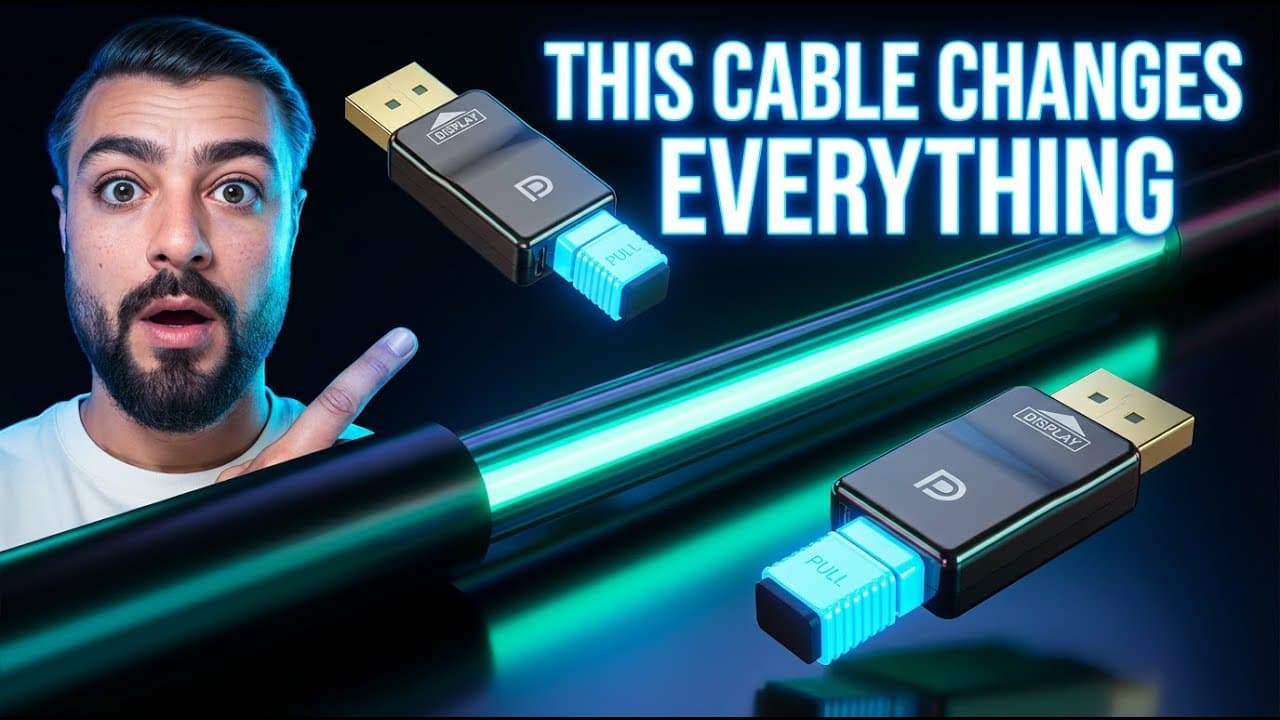
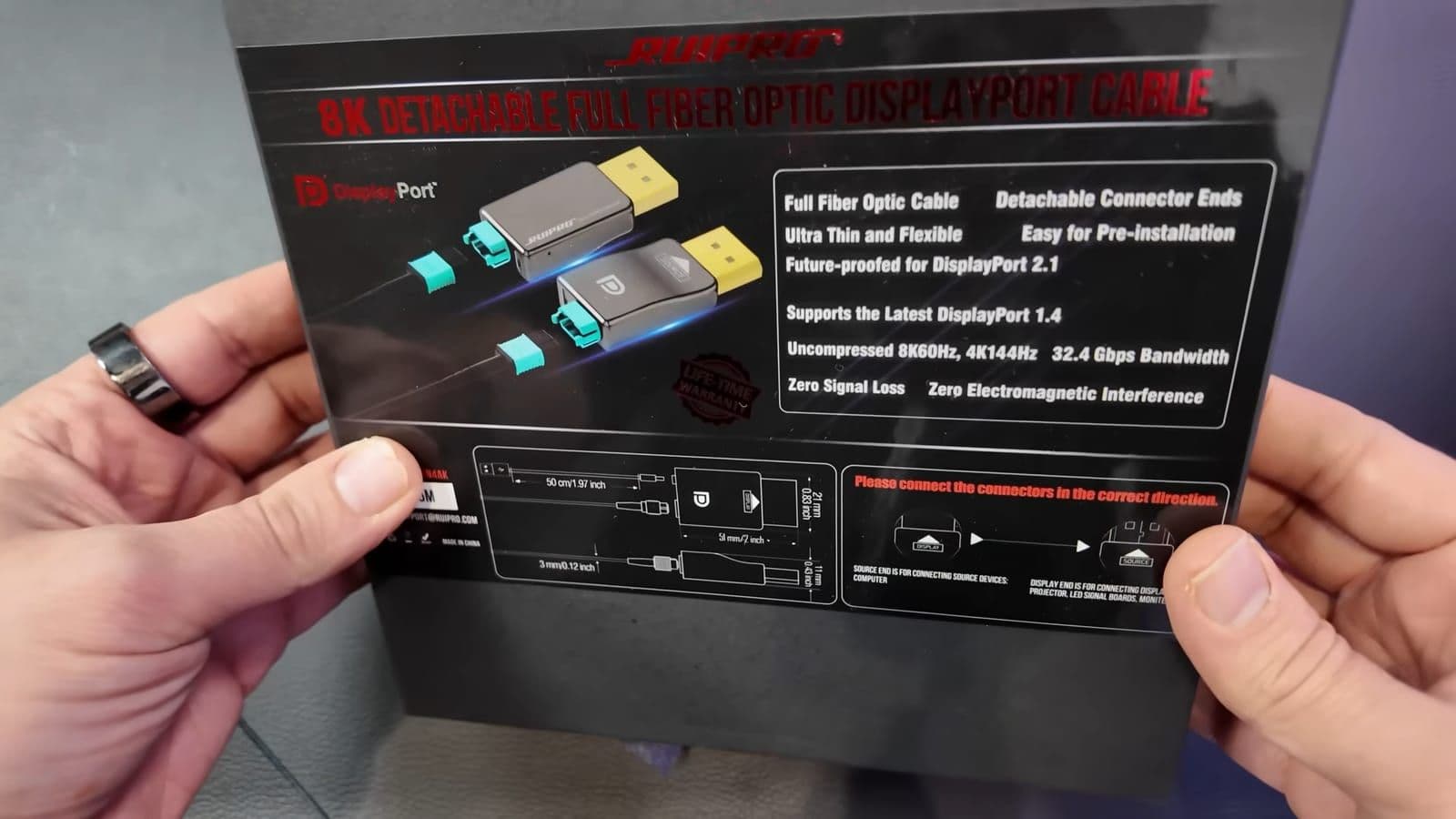
Opening the package reveals a coiled black cable that looks remarkably different from standard PC display wiring. It is exceptionally thin and flexible, resembling a thin audio lead rather than a fat, stiff video cable. You also get two detachable DisplayPort head modules clearly labeled Source and Display, a manual, and specialized cleaning swabs.
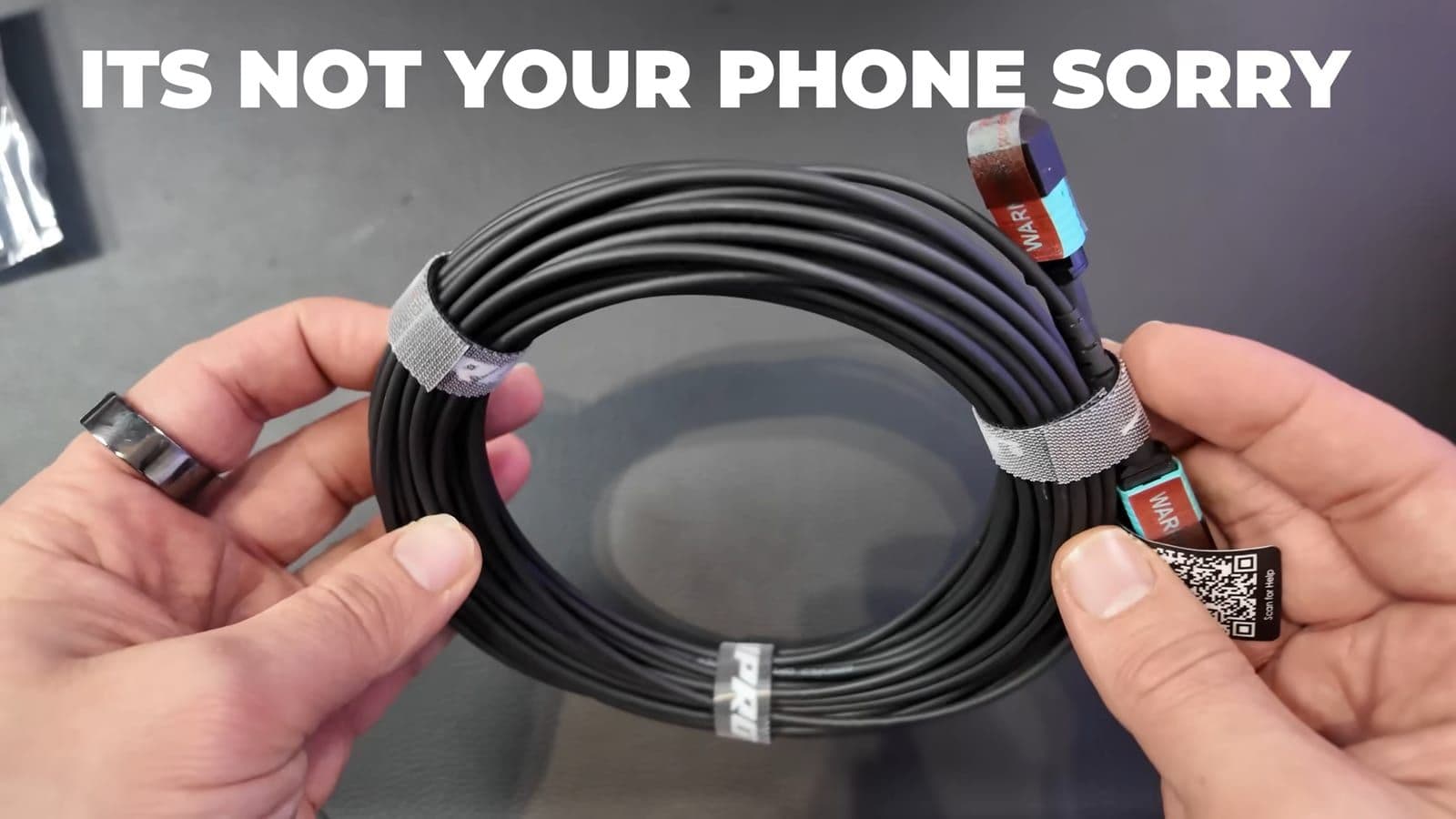
The cleaning swabs are not a gimmick. Optical connections rely on microscopic alignment, so any dust particle sitting on the optical interface can block the light path and ruin your signal. Keep the protective plastic covers attached to both ends until the cable is completely routed through your desk or wall.
Treating the cable gently during installation is mandatory. Copper wire tolerates aggressive tugging and tight right-angle bends around drywall studs. Glass optical fibers do not. If you kink the line past its bend radius or pinch it inside a conduit, the glass core snaps, and the entire cable is dead.
Detachable connector mechanics and technical specifications
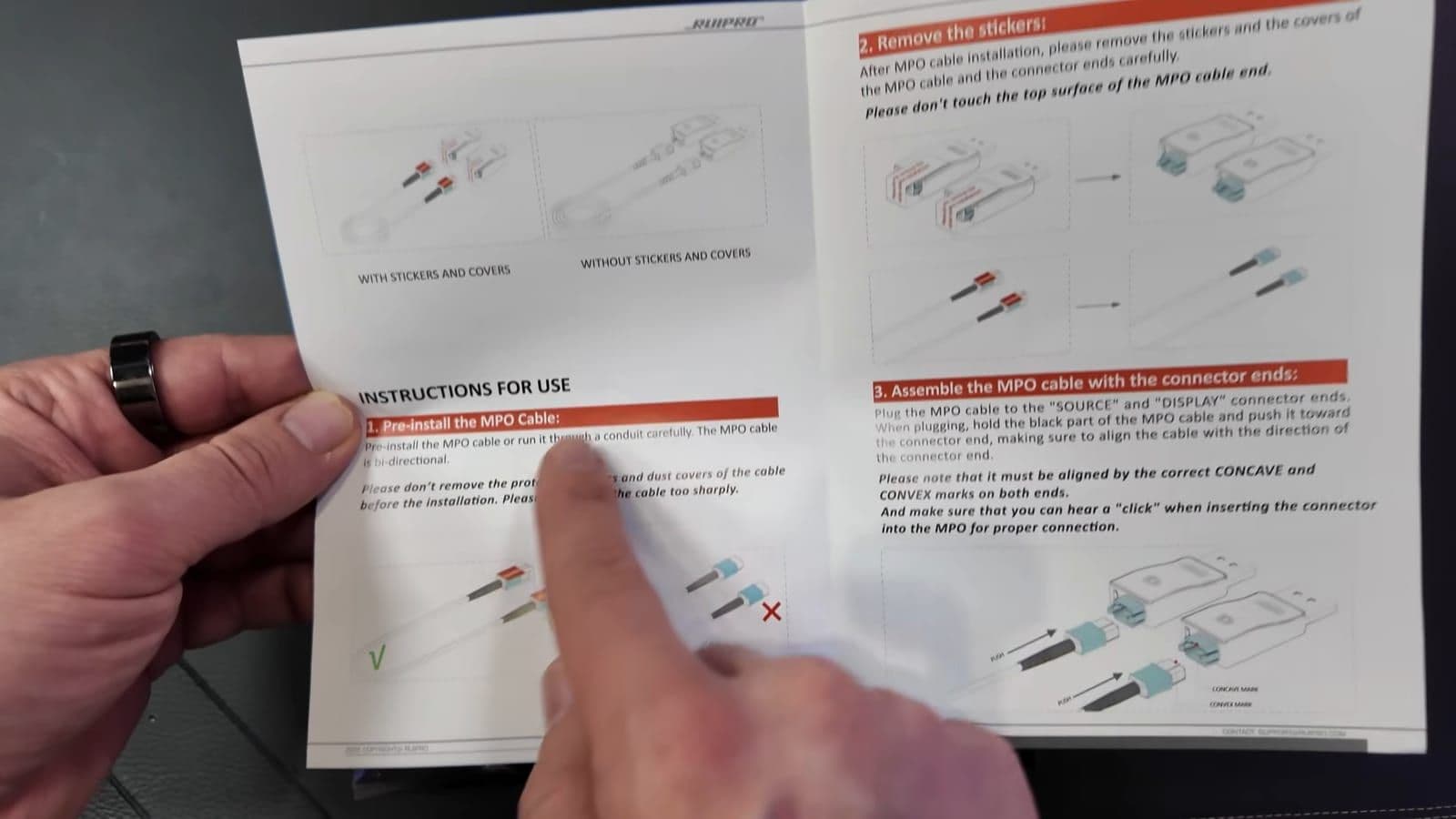
The cable operates on the DisplayPort 1.4 specification, providing 32.4 Gbps of total bandwidth. That gives you uncompressed 8K at 60Hz or 4K at 144Hz with full HDR support. The real trick is the modular MPO connector interface. When DisplayPort 2.1 connector heads become available from the manufacturer, you simply detach the older DisplayPort 1.4 heads and snap the new ones on. "You don't replace the entire cable, you just buy the new connector ends, swap them on, and you're upgraded."
Here is how the main technical specifications break down:
- Cable type: Detachable armored full fiber optic DisplayPort
- Rated bandwidth: 32.4 Gbps uncompressed
- Maximum display resolution: 8K at 60Hz or 4K at 144Hz
- Variable refresh support: AMD FreeSync and NVIDIA G-Sync
- Color and content protection: 10-bit color, HDR, and HDCP 2.2
- Modular connection: Proprietary MPO optical quick-disconnect heads
- Extra power port: Micro-USB port located on the Display head
There is one minor inconvenience on the display connector head. Because optical cables convert electrical signals into light at the source and turn that light back into electricity at the monitor, the display-side receiver requires active power. RUIPRO built a micro-USB port directly into the display head for this purpose.
If your gaming monitor features a built-in USB hub port, you can plug the included short USB power lead straight into the back of your screen. If your monitor lacks USB ports, you must run a separate USB power brick to the wall outlet near your screen.
Performance testing with an RTX 5090 graphics card
To stress the cable, I hooked it up to my main editing and gaming rig. The system runs an Intel Core i9 processor, an NVIDIA GeForce RTX 5090 graphics card, two 4K 144Hz monitors, and one 2K 360Hz panel.
Attaching the heads requires lining up the tiny concave and convex alignment grooves on the MPO connector. It snaps in firmly with a noticeable click. I plugged the source end into the RTX 5090 and attached the display end to the primary 4K 144Hz gaming display.
Windows recognized the connection instantaneously upon booting. There was zero flickering, no delayed handshaking, and no blank monitor screens. The Windows display settings immediately verified the full native resolution running at 4K, 144Hz refresh rate, 10-bit color depth, and active HDR.
I loaded up Grand Theft Auto V with maximum visual settings and heavy ray tracing enabled to push near the 32 Gbps limit. Over extended sessions, the signal remained completely locked in. I experienced zero dropped frames, zero stuttering, and zero artifacting.
Real-world pricing across different lengths
When checked on 14 December 2025 on Amazon, the pricing reflected the premium nature of fiber optic hardware. A standard 6-foot run cost $137.99, while the 10-foot version was listed at $139.99. Stepping up to 33 feet cost $145.99, and the extreme 330-foot run reached $285.99. You can check the current listings directly on the RUIPRO official store or view the options on Amazon.
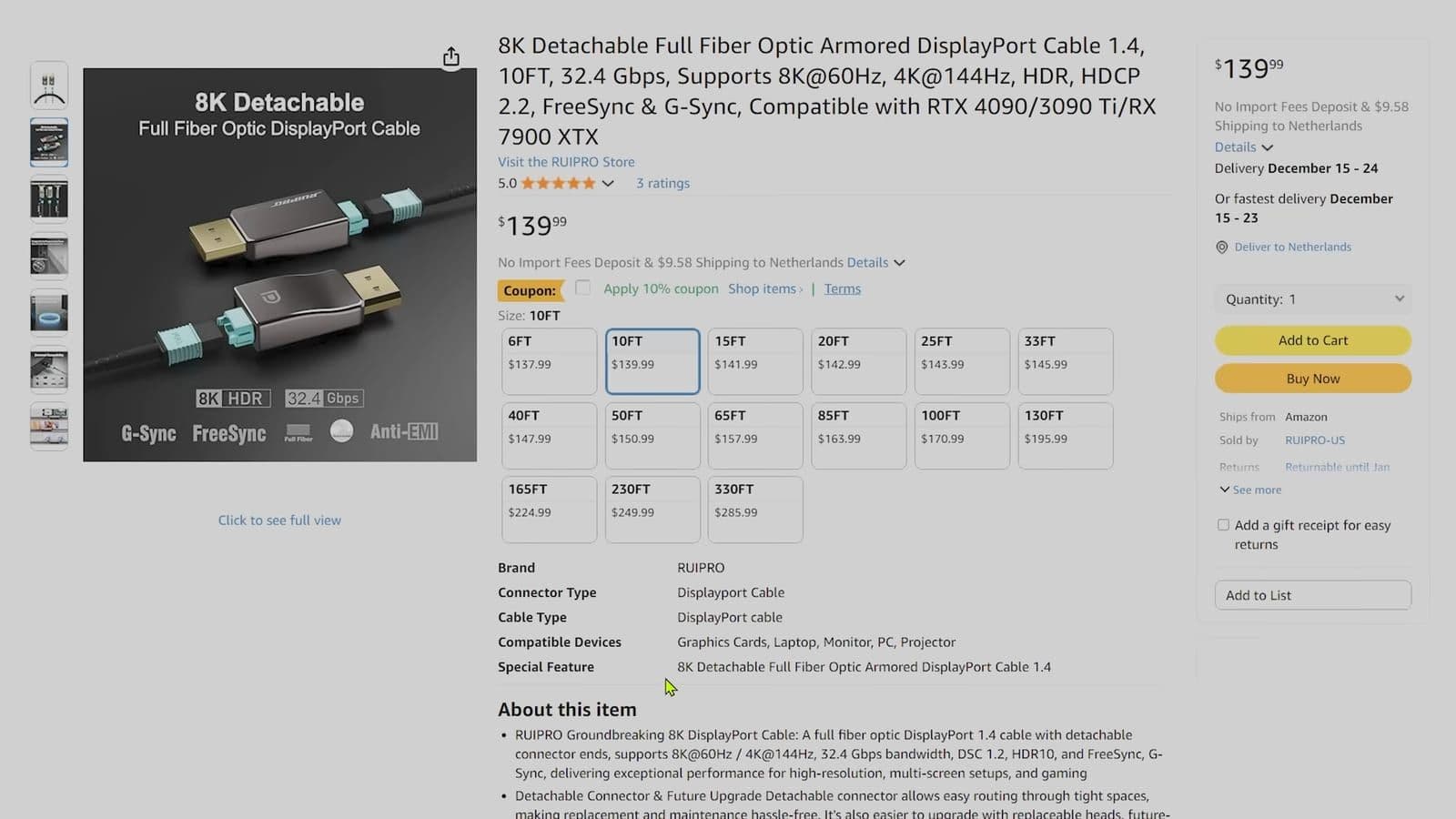
The pricing jump between short and long cables is relatively small. The expensive components are the active optical transceivers inside the connector heads, not the raw glass fiber line itself. Buying a 6-foot fiber cable for $138 feels steep, but paying $146 for a flawless 33-foot run through a wall is actually a practical bargain compared to chasing down intermittent signal drops with copper boosters.
Who should buy this cable and who should skip it
Buy this cable if you have a gaming PC positioned across the room from your desk, if you use a home theater projector, or if you need to run high-bandwidth display cables through walls and conduits. The swappable ends mean you never have to fish another cable through your walls when DisplayPort standards update.
Skip this cable if your computer tower sits right beside your monitor on the same desk. If your total run is under two meters, a standard twenty-dollar copper DisplayPort cable will handle 4K 144Hz without problems. The extra cost and the fragile nature of optical glass make no sense for a basic desktop setup.
Frequently asked questions
Why does the RUIPRO DisplayPort connector require a micro-USB cable?
The display-side connector houses active optical-to-electrical converter chips that translate light back into a digital video signal. While some source ports deliver enough power, the receiving end often needs supplemental current to maintain signal stability across long runs.
Can you bend a fiber optic DisplayPort cable around sharp corners?
No. Fiber optic cables contain real optical glass strands that can fracture if bent at sharp 90-degree angles. You should always maintain a smooth, gradual curve when routing the cable through walls or around desk frames.
Will the swappable heads support DisplayPort 2.1 in the future?
Yes, the internal fiber core supports the required bandwidth for upgraded protocols. Once RUIPRO releases modular DisplayPort 2.1 heads, you can remove the existing 1.4 heads and click the new ones into place without pulling out the installed line.