UGREEN DH4300 Plus Review: Budget NAS Cloud
I tested the UGREEN DH4300 Plus 4-bay NAS for a week to see if it can replace iCloud and Google Photos without monthly fees. Here is my honest verdict.
Bekijk de video op YouTubeBuying a network attached storage drive usually means dealing with complex networking menus, noisy fans, and high upfront costs. The UGREEN DH4300 Plus strips most of that headache away and gives you a private four bay cloud server for under 400 dollars. After running it in my studio for a full week, I found it handles automated phone backups and media streaming far better than I expected for this price.
I have been testing network drives for years. Most people buy cloud storage from Apple or Google simply because it is easy, but those recurring ten euro bills add up forever. As I said in my video, "I actually canceled my iCloud Plus subscription because of that NAS. Yeah, seriously." Let us look at what this box actually delivers, what works well, and where UGREEN cut corners.
Unboxing the DH4300 Plus and comparing it to the DXP4800 Plus
I daily drive the higher end UGREEN DXP4800 Plus, so I was curious how much hardware got cut to hit this lower price point. The DH4300 Plus is effectively its smaller, more affordable sibling. When you take it out of the box, you get the NAS unit itself, a power brick, an Ethernet patch cable, a quick start guide, and drive mounting screws.
The exterior finish looks clean on a desk. It sports a modern grey shell that matches pretty much any office setup. The top cover lifts off with magnets to reveal four vertical drive bays. Each bay accommodates a standard 3.5 inch hard drive or a 2.5 inch SATA SSD, giving you room for up to 120TB of total raw storage.
Setting up user accounts is one of the first things you deal with. You can invite family members or roommates to have their own completely private storage pools. They cannot snoop through your personal folders, yet you can still create shared folders where everyone can dump family holiday videos or shared media libraries.
The hardware inside and that surprise HDMI port
Under the hood, UGREEN went with an 8-core processor paired with 8GB of RAM. In the budget NAS world, many brands still try to get away with 2GB or 4GB of memory, which quickly chokes once you run background tasks. Having 8GB out of the box keeps application loading snappy.
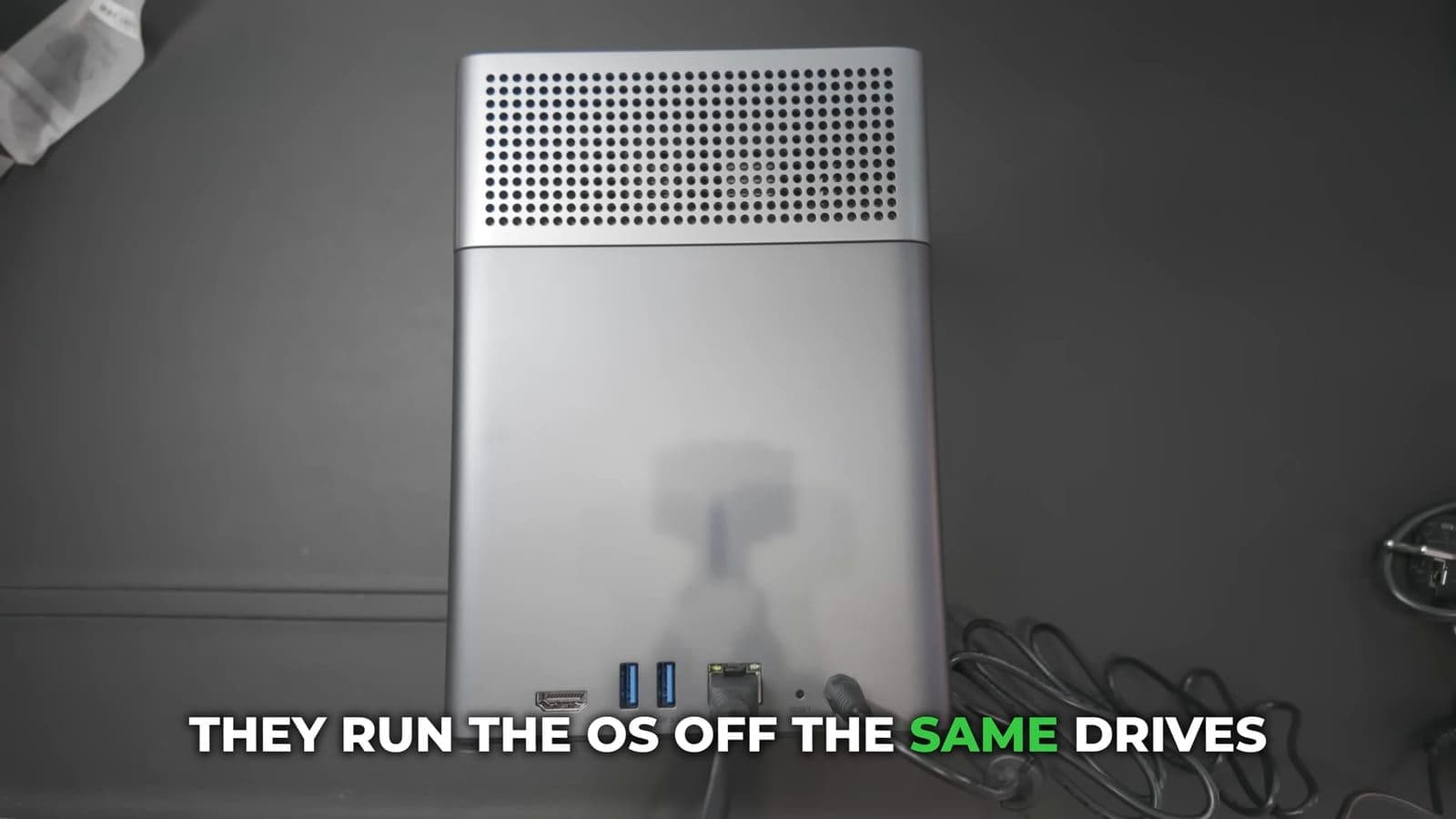
Another clever hardware choice is the internal operating system storage. Instead of installing the system files across your storage pool hard drives, UGREEN put the UGOS operating system on a dedicated 32GB internal eMMC chip. That means your mechanical hard drives can spin down when idle without the system waking them up just to run basic background services.
Here is how the physical connectivity breaks down:
- 1x USB-C port on the front panel
- 2x USB-A 3.2 Gen 1 ports (5Gbps) on the rear
- 1x 2.5 GbE Ethernet LAN port
- 1x HDMI output port supporting up to 4K at 60 fps
- DC power input and reset pinhole
Finding a dedicated HDMI port on a budget NAS surprised me. As I pointed out during my testing, "An HDMI port on a NAS? I didn't see that coming. Turns out it supports 4K at 60 frames per second." You can plug this directly into a television or living room monitor, turning the storage box straight into a local media player without needing another streaming box in between.
Photo backups and AI face recognition in daily use
The mobile app for iOS and Android is where this device proves its worth against Apple and Google. Traditional NAS operating systems make mobile photo synchronization feel clunky. Here, you install the app, scan a QR code to pair your phone, and turn on auto backup.

Backups happen automatically in the background without any manual sorting. You can restrict uploads to Wi-Fi only so you do not burn through your monthly mobile phone data. Once the pictures reach the DH4300 Plus, the built-in NPU starts sorting them.
This is where the software genuinely shocked me. The local AI album organizes people, objects, and locations. When I scrolled through my own face library, it had grouped my recent adult photos together with photos of me as a baby and a young teenager under the same face profile. Apple Photos and Google Photos regularly mess that up and split younger pictures into separate unknown people. You can tap on a face, view every photo spanning twenty years, and send an encrypted download link to family in seconds.
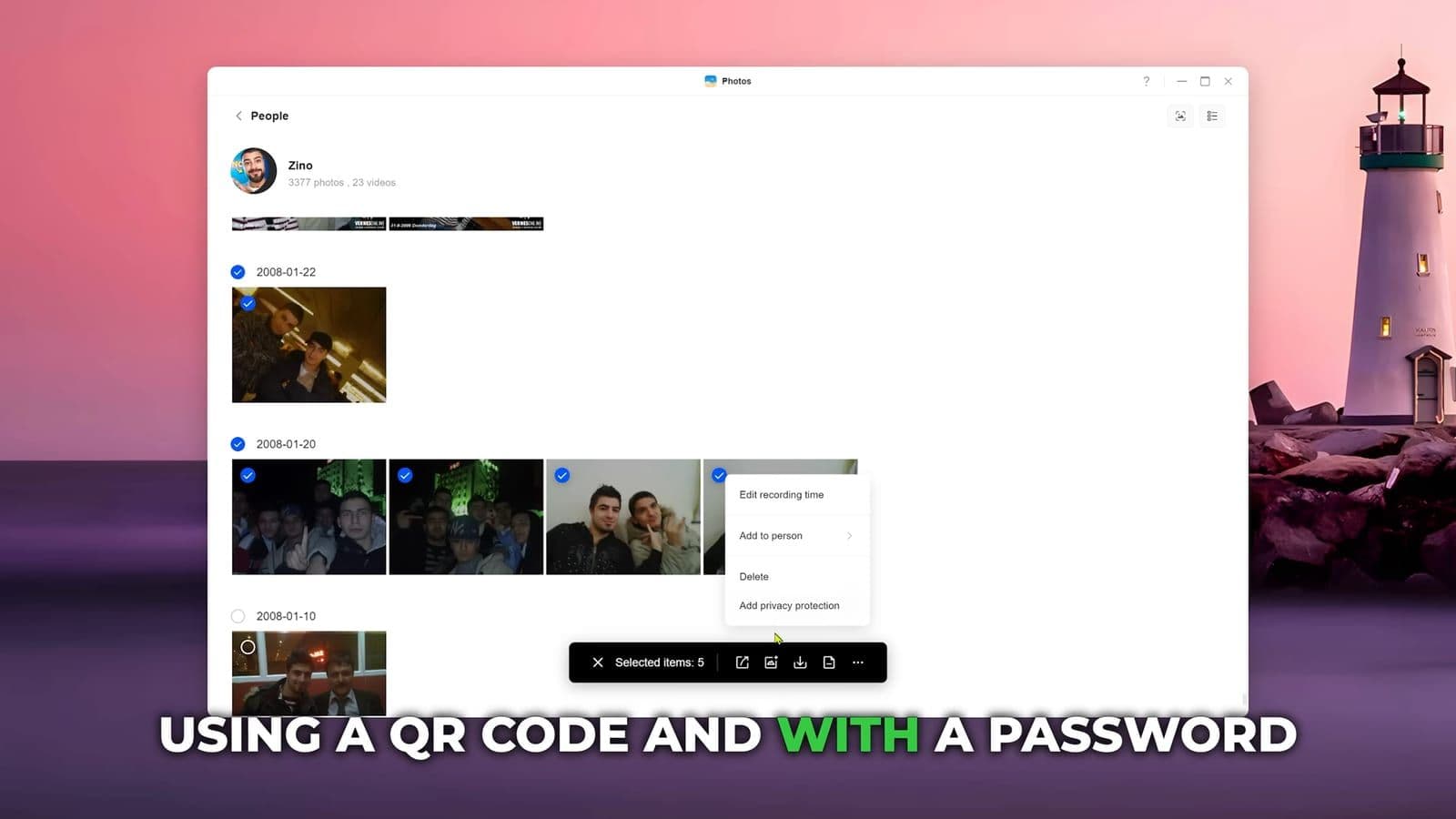
You do not need to force friends or family to install an app just to view shared albums. The desktop and mobile apps let you generate password-protected web links with set expiration dates. They click the link, enter the pin code, and download the full resolution files straight from your home connection.
Power consumption, fan noise, and real file streaming
A home server that sits in an office or bedroom cannot sound like a jet engine. I put my sound meter next to the DH4300 Plus with four mechanical hard drives spinning inside. At idle, the unit hovered between 37 and 39 dB. Under sustained read and write operations, it barely reached 40 dB. It is quiet enough that you can put it on an open shelf without it distracting you.
Power draw was equally sensible. "At idle with four drives, it pulls about 21 watts. That's less than a light bulb." Under full load with multiple streams running, power consumption climbed to around 35W. If you leave this plugged in 24/7 throughout the year, the electricity bill remains negligible compared to paying multiple fifty euro cloud subscriptions.
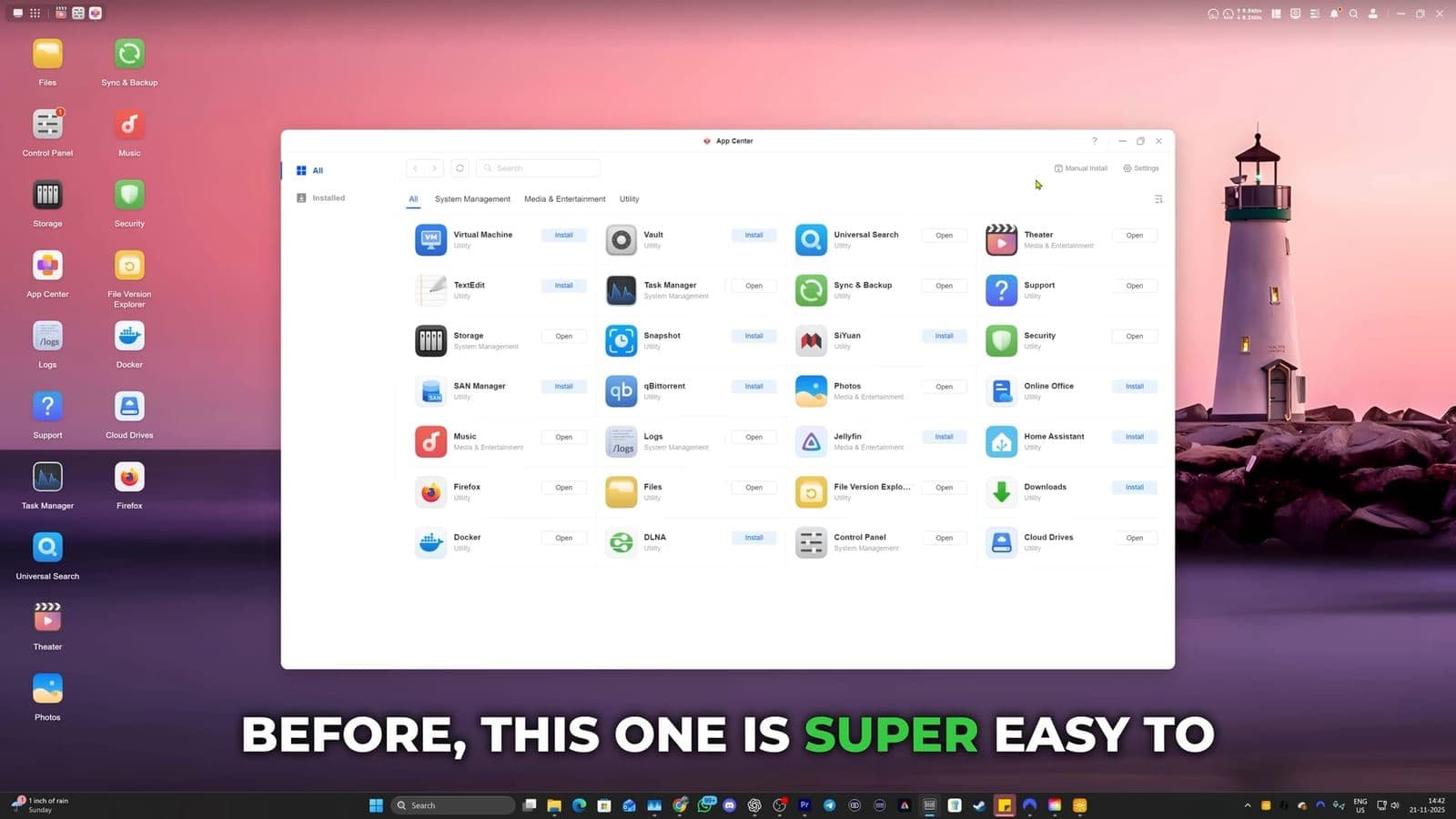
For media playback, I loaded 1080p and heavy 4K HDR movie files onto the drives. I tested playback over Plex Media Server, directly through the HDMI output, and over my home network to an R_volution media player. The streams started instantly. Seeking through high bitrate 4K video produced zero buffering and no dropped frames.
Where the hardware and software fall short
No budget product gets everything right, and there are three compromises you should know about before spending your cash.
First, the drive sleds feel cheap. The internal bay cage is solid, but the four slide-out drive trays are made entirely of thin plastic. Once your drives are screwed in and locked inside the chassis, you will not touch them often, but pulling them out does not feel like handling a premium enterprise product.
Second, UGREEN only included a single 2.5 GbE Ethernet port. While 2.5 GbE is plenty fast for a single user editing video or backing up a couple of phones, it means there is no option for network link aggregation or hardware failover. If three people in your house try to transfer massive video projects while another streams raw 4K video, that single cable becomes your bottleneck.
Finally, while the UGOS Pro operating system has improved rapidly, the native app ecosystem still lags behind Synology. You get solid core tools like Docker, Plex, and basic file management, but you will not find dedicated first-party IP camera surveillance station software. If your primary goal for buying a NAS is managing ten security cameras around your house, UGREEN is not quite there yet out of the box.
Who should buy the UGREEN DH4300 Plus
On November 26, 2025, the UGREEN DH4300 Plus was priced at 323 euros with its launch discount, down from its regular 430 euro retail price. That puts it squarely under 400 dollars in the US market.
You should buy this if you are fed up with paying monthly fees for iCloud, Google Drive, or OneDrive and want a simple private cloud that backs up everyone in your home automatically. It is fast, quiet, draws very little power, and the AI photo recognition works better than what the big tech platforms offer. You can find it on Amazon or through the UGREEN official store.
You should skip this if you run an advanced home lab that demands dual network ports for link bonding, or if you need an enterprise-grade virtual machine host with dedicated security camera monitoring. For standard home media streaming and phone backups, however, this box hits the sweet spot.
Frequently asked questions
How does the UGREEN DH4300 Plus compare to the DXP4800 Plus?
The DXP4800 Plus offers dual network ports, faster multi-gigabit options, and a heavier metal chassis designed for power users. The DH4300 Plus is the budget sibling that cuts back to a single 2.5 GbE port and plastic drive trays while keeping the same clean operating system, 8GB RAM, and 4K HDMI direct output.
Can the DH4300 Plus completely replace Google Photos and iCloud?
Yes, for general photo and video backup it replaces both services completely. The mobile app syncs your camera roll silently in the background, and the onboard AI automatically groups faces, places, and objects without sending your private pictures to third party corporate servers.
Is the UGREEN DH4300 Plus powerful enough to stream 4K movies via Plex?
The 8-core processor and 8GB of onboard RAM easily handle direct 4K video playback and streaming through Plex Media Server. You can stream over your local home network without stuttering, or connect your television straight to the unit using the built-in 4K 60 fps HDMI port.